jackiethomas.io | Home
Help | Sign Out
Home Case Studies About Contact Resume
Personal Project Β· Practice

Wearable Experience
Design.

I was new to UX design and wanted to practice the full process including research, user flows, wireframes, components, and prototyping. So I gave myself a brief, picked a real problem, and built it.

Type
Personal / Practice Project
Platform
Apple Watch (wearable)
Tools
Figma
Status
Concept Β· Not Shipped
What I Practiced User Research Competitive Analysis User Flows Wireframing Component Design High Fidelity Prototyping
A real user. A real complaint. A real brief.

When I was early in my UX design journey I wanted to practice the full process from start to finish. I needed a real problem to solve, not a made-up one. I found it in an App Store review from a user frustrated that their favorite coffee app didn't work on their Apple Watch. They had to unplug their phone just to pay. That was my brief.
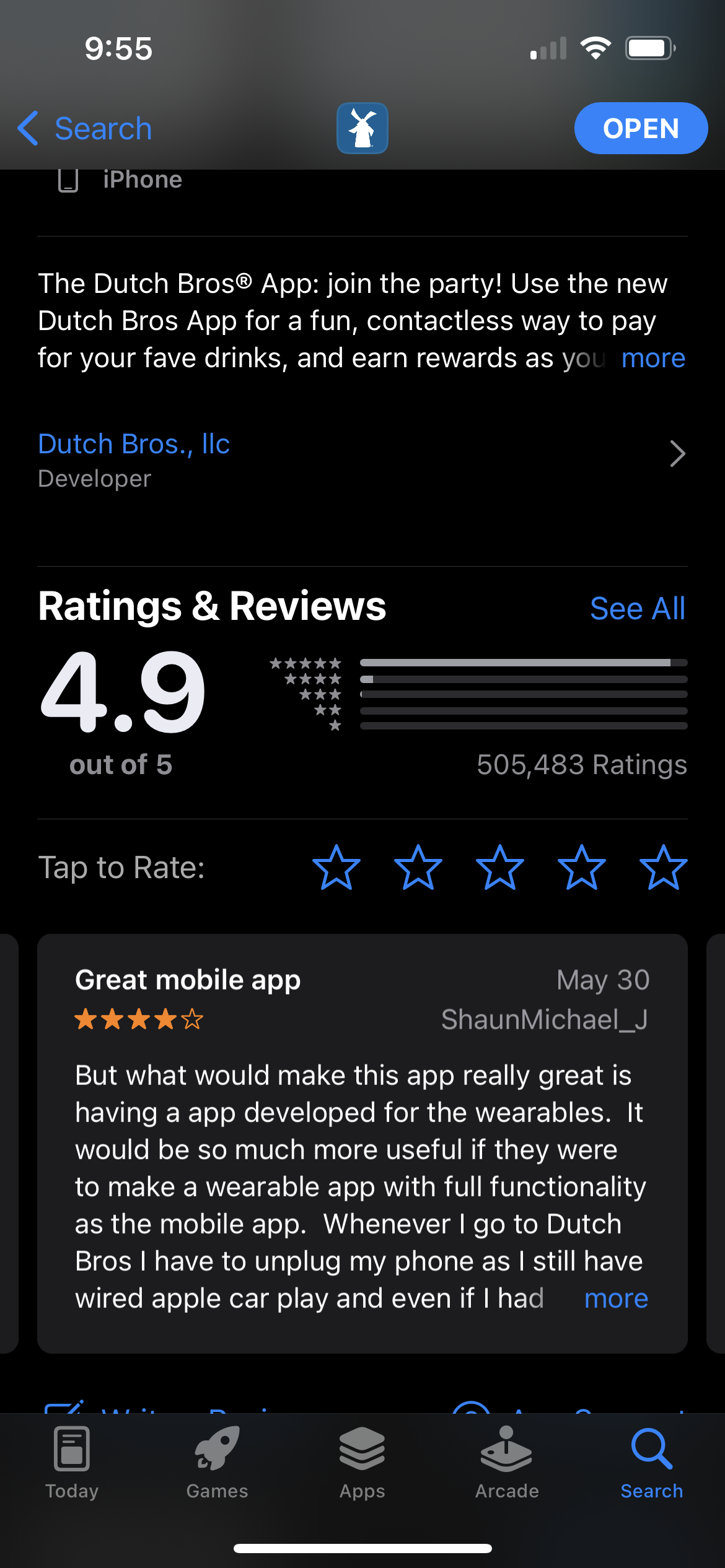
App Store review
The App Store review that sparked the project, a real user asking for a real feature
Why This Matters

Good design problems don't always come from research reports and stakeholder briefs. Sometimes they come from a single person saying "this is frustrating." Learning to see those moments as design opportunities and act on them, is a skill I've carried into every project since.
Start to finish. Every step.

I treated this like a real project. I didn't skip steps just because it was practice. The goal was to build the muscle memory of going through the full UX process because I knew that's what real work would require.

πŸ”

Research

Anchored on a real user pain point and supplemented with competitive analysis of existing wearable payment experiences.

πŸ—ΊοΈ

User Flows

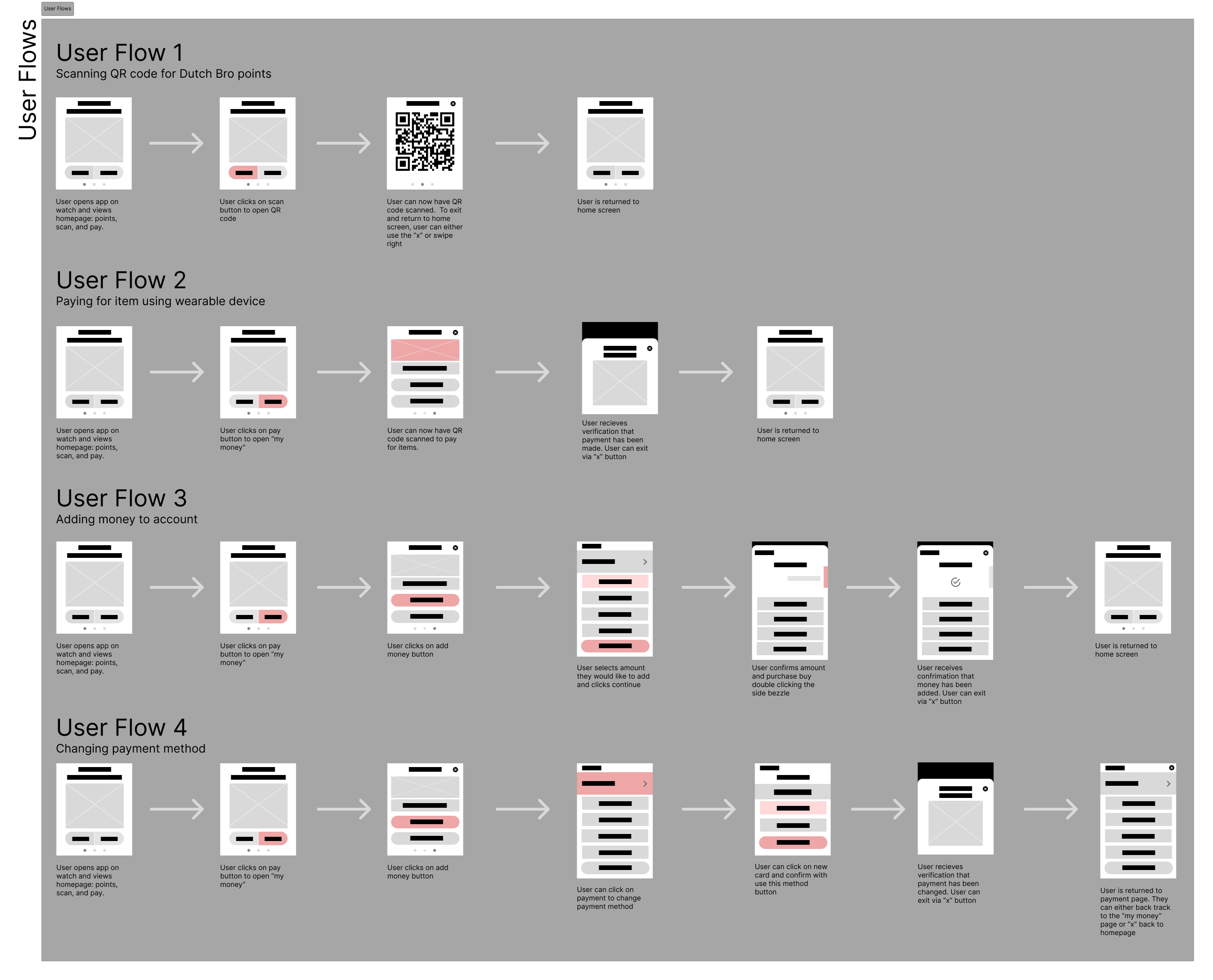
Mapped four core flows: scanning for points, paying for an item, adding money, and changing payment method.

πŸ“

Wireframes

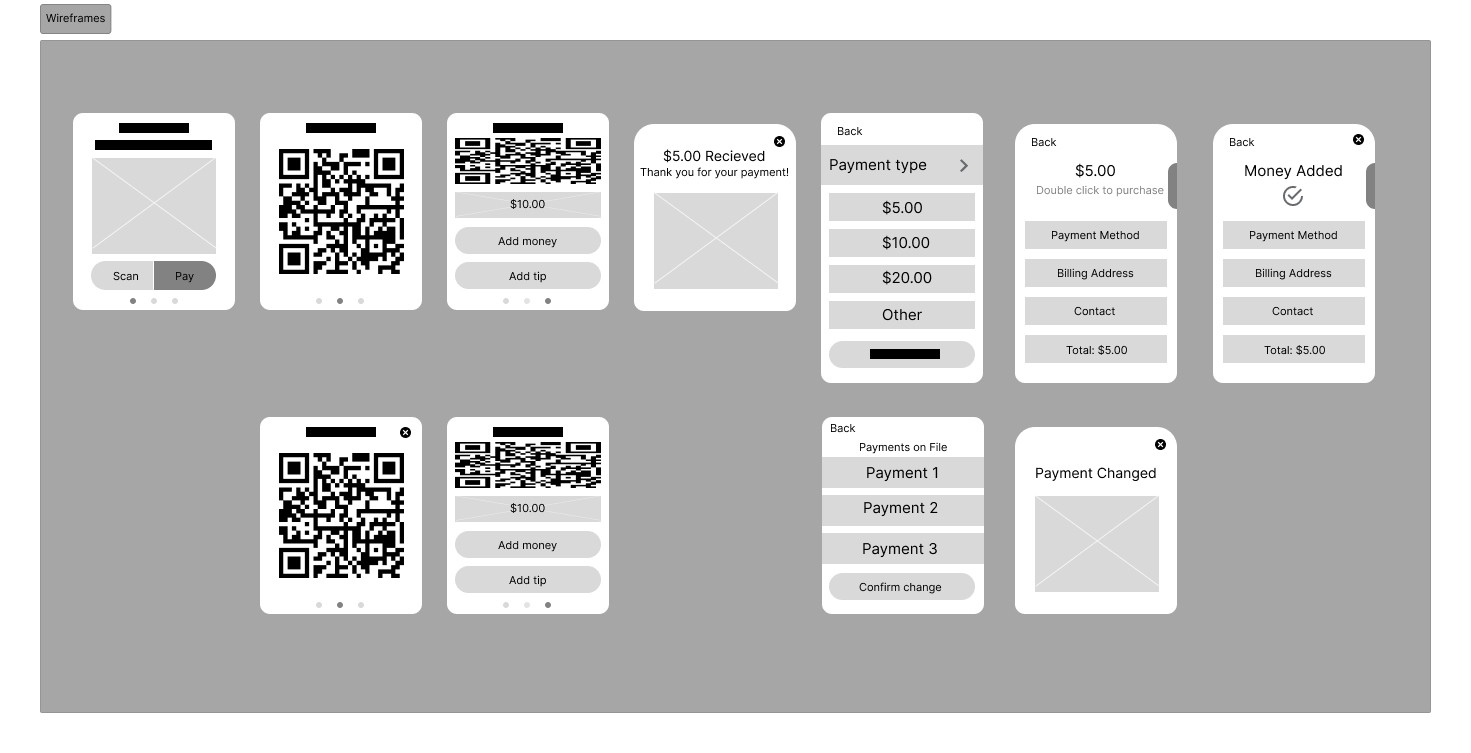
Built low-fidelity wireframes for every screen in all four flows before touching any visual design.

🎨

Design System

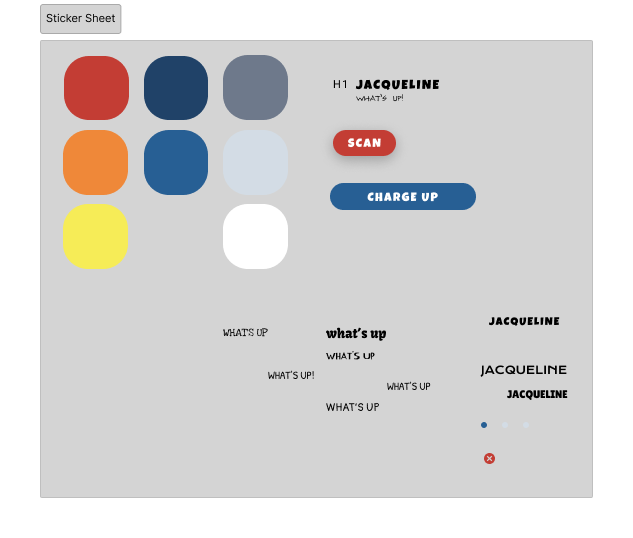
Created a sticker sheet with colors, typography, and reusable components, my first ever design system.

✨

High Fidelity

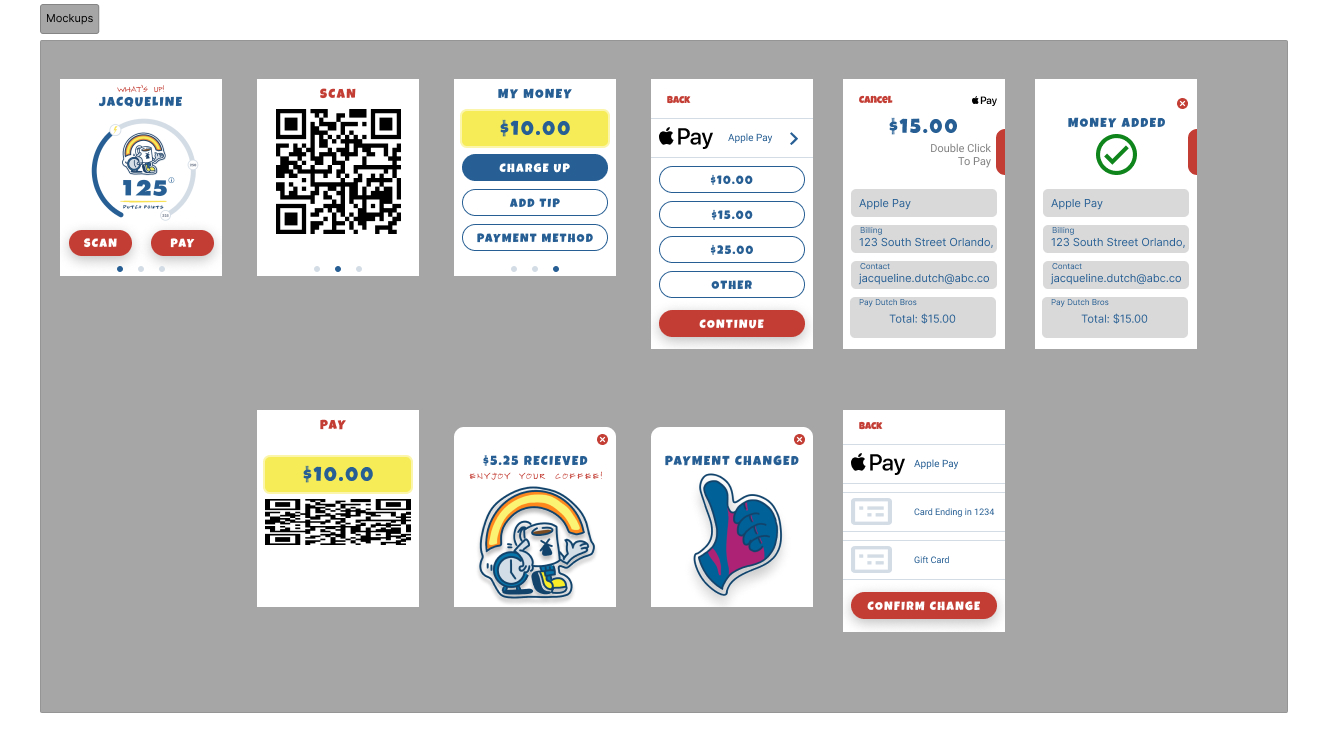
Brought it all to life with high-fidelity mockups that matched the brand's bold, fun personality.

⌚

Watch Mockup

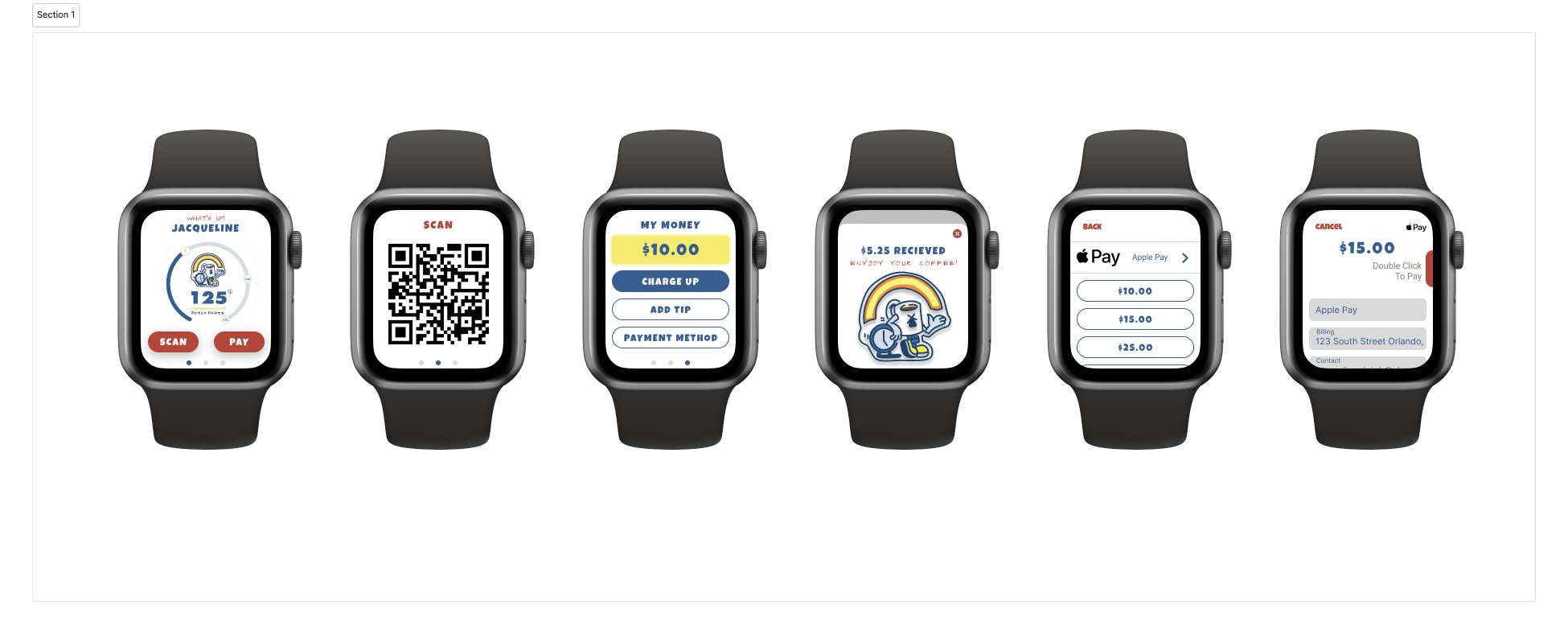
Placed final screens into Apple Watch device mockups to show how the experience would actually feel on the wrist.

User Flows
Four user flows covering the core wearable experience: scan, pay, add money, change payment method
From wireframes to watch.

Designing for a wearable is a completely different constraint than designing for a phone. The screen is tiny, interactions have to be immediate, and every element needs to earn its space. I embraced those constraints and let them sharpen the design.

Wireframes
Low-fidelity wireframes for all screens across all four user flows
Sticker Sheet
Design system, colors, typography, and components
Mockups
High-fidelity mockups across all screens
Apple Watch mockup
Final designs in Apple Watch device mockups: scan, pay, add money, confirm, and success states
What I learned by just doing it.

Process Discipline

Forcing myself through every step, even on a personal project, built the habits that make me fast and thorough on real work today.

Constraint as Creativity

Designing for a tiny watch screen taught me that constraints aren't limitations, they're the thing that forces better decisions.

Design Systems Thinking

Building my first sticker sheet here gave me a foundation for thinking about consistency and scalability in every project since.

Real Problems Matter

Anchoring on a real user complaint made the work feel meaningful. That lesson shapes how I find problems worth solving to this day.

← Back to Case Studies
Β© 2026 Jackie Thomas  |  jackiethomas.io  |  Houston, TX  |  Built with intention ✦